


It’s that time of year! Tax time is upon us. We’re here to make it easy for you. All your Salon Service Group invoices from the last year are now conveniently located in our online store. Plus, as an addition for 2021, we’ve added your ssgdirect sales if you have an ssgdirect store! Here’s how to get them!
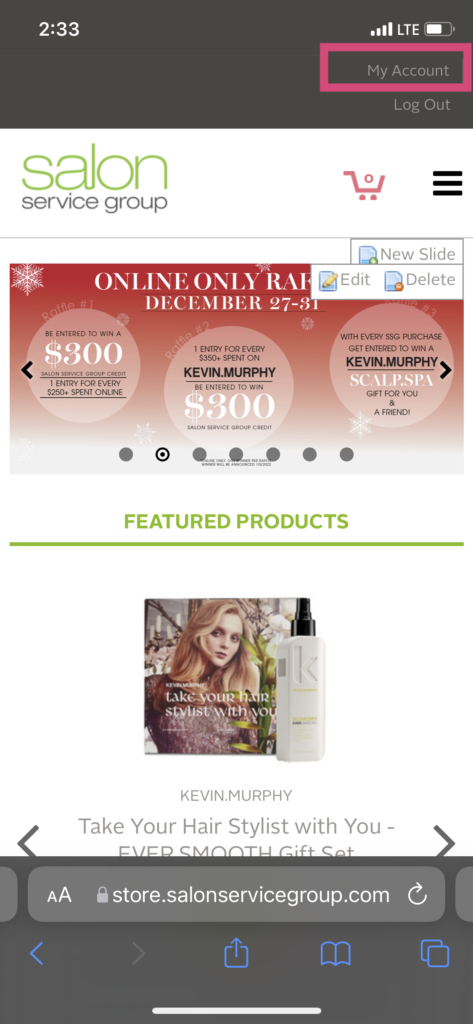
Step 1:
Begin by logging into the online store. (Don’t know your login or password? That’s okay! We have links for forgot user ID and password on the sign-in page.) Along the top in a dark gray bar, you will see a button that says “My Account”. Click there.
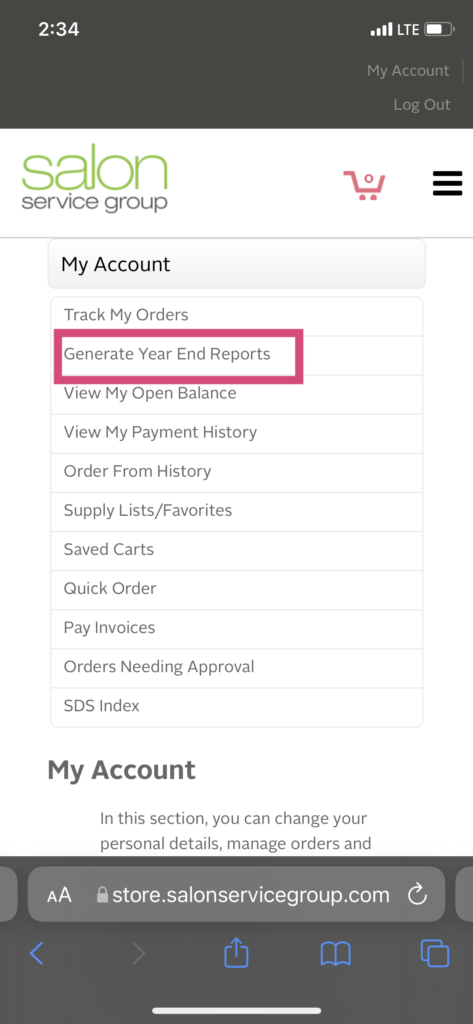
Step 2:
In the “My Account” screen, click on “Generate Year End Reports”.
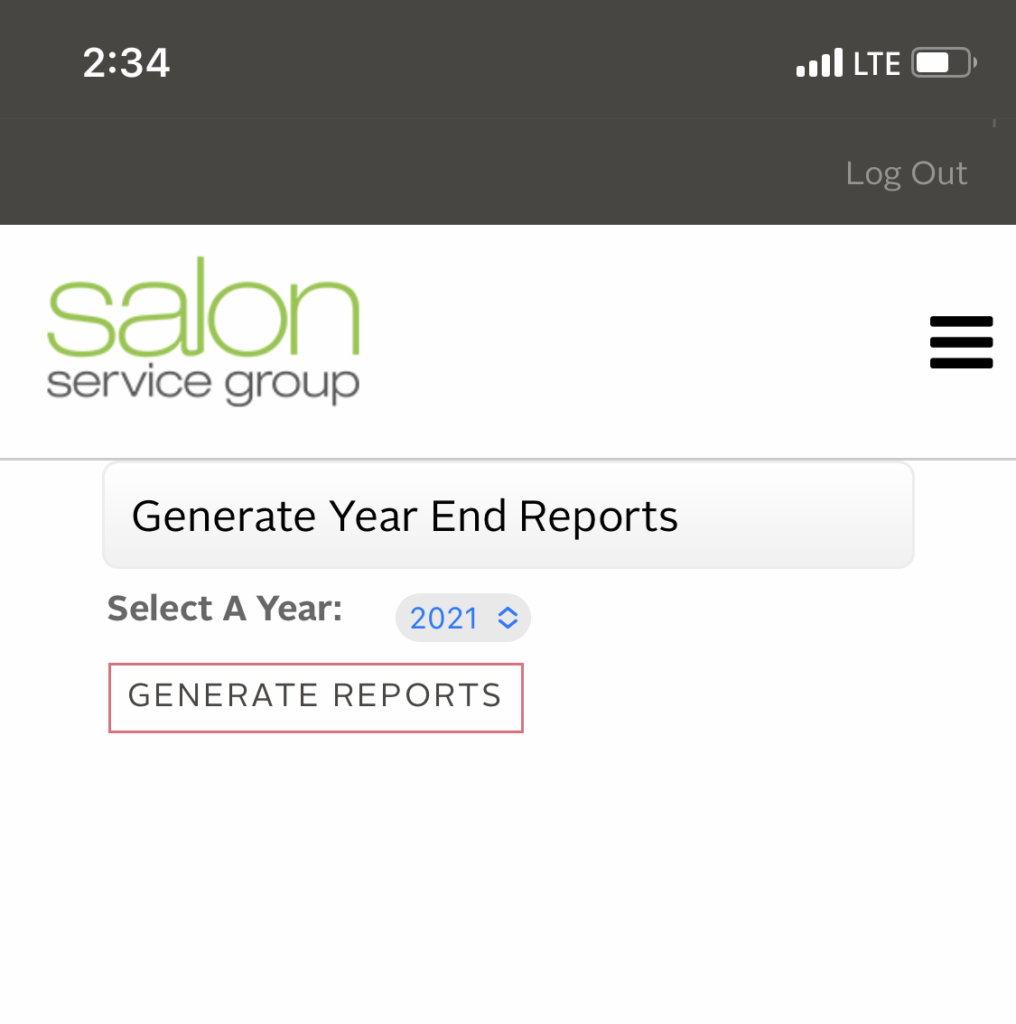
Step 3:
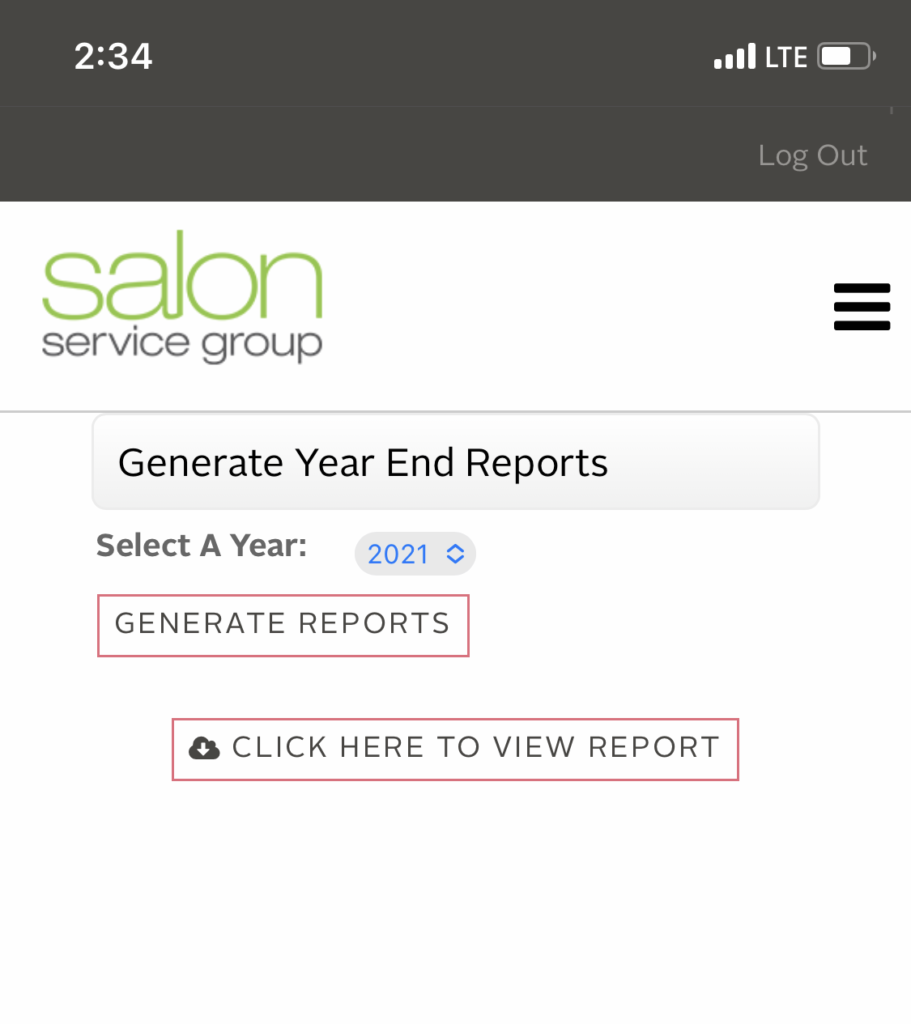
In the “Generate Year End Reports” screen, it will ask you to select a year and then select “Generate Reports”.
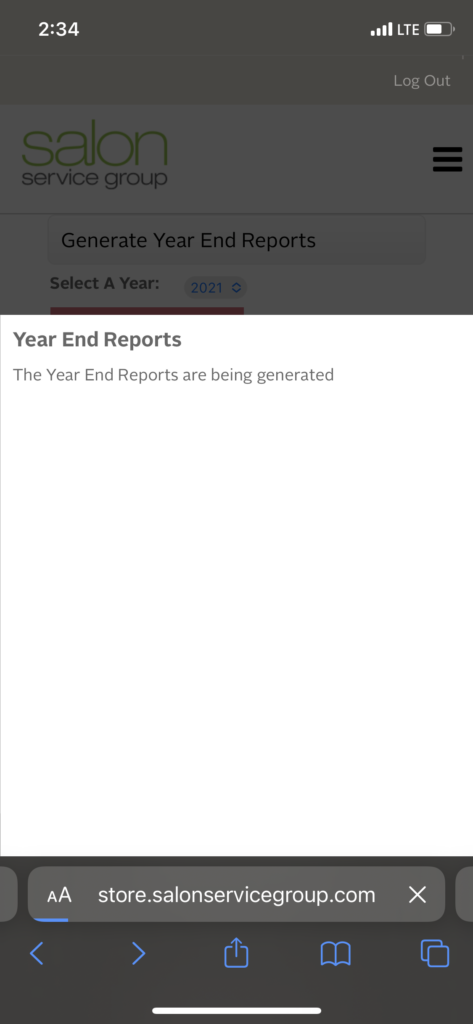
Step 4:
It will take a second to generate your report. This screen will remain up. Do not click the back button or it will restart the generation process.
Step 5:
After the report is generated, another button will appear that asks you to click to view the report.
Step 6:
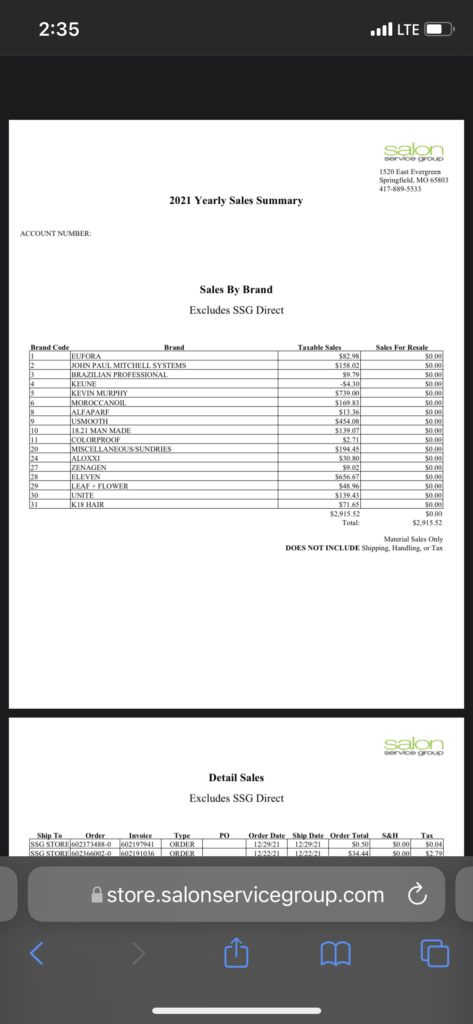
Your report will open in a new window. It will have a sales by brand page that shows purchases that shows Taxable Sales & Sales for Resale. After that, you’ll see a detail sales list of your transactions.
If you have an ssgdirect store, your ssgdirect sales will be under your SSG purchases.
Final Note:
On the final screen, you will be able to email your Salon Service Group year end statement or save the document to your phone.
Please note that if you have more than one account, you will have to go into each account to generate your year end statements.
And that’s it! Happy end of year preparation! Thank you for being our customer.